How a ChatGPT Video Editor Is Changing AI-Assisted Video Creation
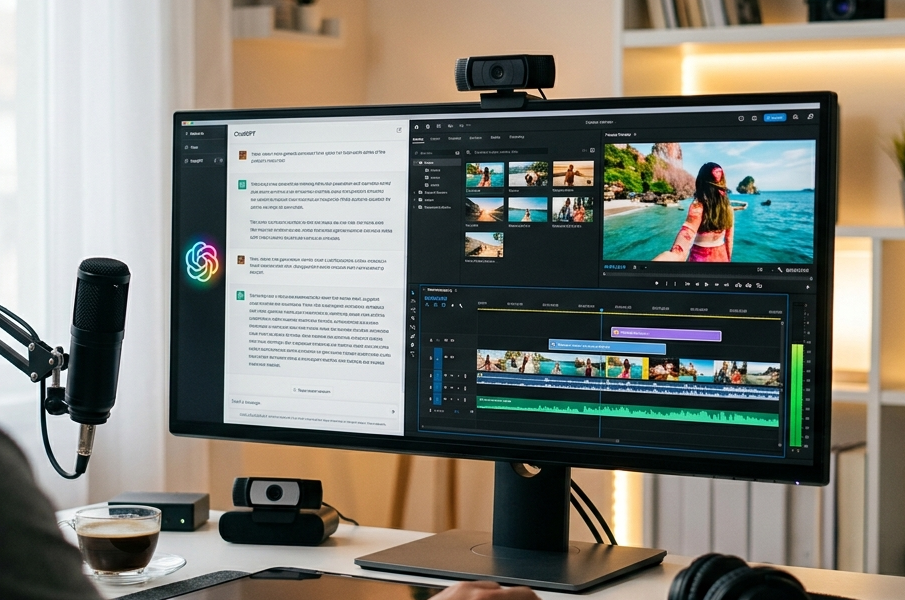
Video production has traditionally required a combination of technical editing skills, creative judgement and significant time. Even a short social media video can involve reviewing raw footage, selecting clips, trimming unwanted sections, arranging scenes, adding captions and refining the final sequence.
Artificial intelligence is beginning to change that workflow.
Rather than requiring creators to perform every repetitive task manually, AI-assisted editing systems can interpret natural-language instructions and help transform raw footage into an organised first draft. The creator can then review, adjust and polish that draft using conventional editing tools.
This combination of conversational AI and hands-on editing represents an important development in content creation. Instead of replacing creative decisions, the technology can reduce the time spent preparing a project and give creators a faster starting point.
What Is AI-Assisted Video Editing?
AI-assisted video editing uses machine learning and automated tools to support different stages of video production.
Depending on the platform, AI may help with tasks such as:
- Reviewing uploaded footage
- Identifying useful moments
- Removing unnecessary sections
- Organising clips
- Creating rough cuts
- Preparing captions
- Suggesting templates
- Adapting content for different formats
The key difference is how users interact with these capabilities. Increasingly, creators can describe what they want in everyday language rather than manually configuring every individual action.
For example, a creator could request a 60-second social video that prioritises certain clips, removes pauses and maintains a fast pace. AI can interpret that direction and prepare an initial structure.
From Prompt to Editable Rough Cut
One of the most time-consuming stages of editing is creating the first cut.
Imagine returning from an event with 40 individual video clips. Before producing a polished three-minute highlight video, an editor may need to watch every file, identify useful moments and arrange selected footage on a timeline.
AI-assisted workflows can accelerate this process.
A ChatGPT video editor workflow such as CapCut × Codex allows creators to provide their footage and describe the desired edit using natural-language instructions. The system can help analyse clips, identify useful moments, remove unwanted sections and organise selected footage into an editable rough cut.
Importantly, the resulting timeline remains editable. The creator can still change clip order, timing, pacing and other creative elements before completing the project.
Why Natural-Language Editing Matters
Traditional editing software can be intimidating for beginners because professional timelines contain numerous tracks, menus, controls and technical settings.
Natural-language interaction introduces a different way to begin.
Instead of immediately asking, “Which editing tool do I need?”, a user can focus on creative intent:
“Make a short product demonstration.”
“Prioritise the interview clips.”
“Create a quick highlight video.”
“Keep the final video under two minutes.”
This does not eliminate the need to understand storytelling, but it reduces the technical barrier between an idea and a workable first draft.
For experienced editors, conversational instructions can also accelerate repetitive preparation tasks.
AI Can Help Organise Large Amounts of Footage
Modern creators generate enormous amounts of video.
A smartphone can easily capture dozens of clips during a single event, holiday, product shoot or interview. Businesses may accumulate considerably more footage when producing campaigns across multiple platforms.
Reviewing every second manually can become inefficient.
AI can assist by analysing source material and helping identify sections that are more relevant to the creator’s instructions. This allows editors to spend more time evaluating strong material rather than simply searching for it.
Human review remains important. AI may misunderstand context or prioritise a technically clear shot that is less meaningful to the story. The creator therefore remains responsible for determining what belongs in the final edit.
Templates Can Accelerate Production
Templates are another useful component of modern video creation.
Instead of building every transition, text layout and sequence from scratch, creators can begin with an existing structure appropriate for their content type.
Templates are particularly useful for:
- Social media clips
- Product stories
- Short campaigns
- Promotional videos
- Explainer content
- Event highlights
AI can help narrow down suitable templates according to the requested style, format and pacing.
Creators can then customise the chosen structure rather than accepting it unchanged. This balance between automation and manual control is essential for producing content that does not feel generic.
Captions Are Becoming Part of the Standard Workflow
Captions are no longer an optional addition for many videos.
Audiences frequently watch social content without sound, while subtitles also improve accessibility and make information easier to follow.
AI-assisted workflows can help prepare caption text, saving creators from manually transcribing every spoken sentence.
However, automatically generated captions should always be reviewed. Names, technical terminology, brand language and speech affected by background noise can be misinterpreted.
Editors should check spelling, timing and placement before publishing.
Creating Multiple Versions More Efficiently
A single video is rarely distributed in only one format.
Content teams may need separate versions for vertical social platforms, widescreen websites, presentations and other channels. Each version may require different dimensions, duration, captions or pacing.
AI-assisted production can help reduce repeated setup when preparing these variations.
A longer interview, for example, might become:
- A complete long-form video
- A 60-second highlight
- Several short vertical clips
- A captioned version
- Alternative language versions
Instead of rebuilding each project from the beginning, teams can use a strong master edit and adapt it efficiently.
AI Does Not Replace Creative Judgement
The growing capability of AI has created understandable questions about whether automated tools will replace human editors.
A more useful way to view the technology is as an assistant for repetitive and time-consuming work.
AI can help select footage and prepare an initial sequence, but storytelling requires context.
Human creators still make important decisions about:
- Emotional impact
- Narrative structure
- Brand consistency
- Humour
- Cultural context
- Visual rhythm
- Music selection
- Final pacing
A technically correct edit is not automatically an engaging video.
The strongest workflows combine automation with thoughtful human review.
Who Can Benefit From AI Video Editing?
AI-assisted video creation has potential applications across many industries.
Social Media Creators
Creators producing frequent short-form content can reduce the time required to organise footage and prepare first drafts.
Marketing Teams
Businesses can create multiple campaign variations while maintaining human oversight of messaging and brand identity.
Small Businesses
Companies without dedicated video production departments can use guided workflows to create straightforward demonstrations, announcements and social content.
Educators
Teachers and training professionals can turn recorded lessons or presentations into shorter educational videos.
Professional Editors
Experienced editors can automate repetitive preparation while concentrating on advanced creative decisions.
Best Practices for AI-Assisted Video Creation
AI works best when users provide clear instructions.
Rather than requesting “make this better”, explain the desired duration, audience, tone, format and most important footage.
After receiving the first draft, review it carefully. Check transitions, captions, clip selections, audio and overall narrative flow.
Most importantly, treat the first AI-generated result as a starting point rather than the finished product.
The objective should be to use automation for efficiency while retaining human control over quality.
The Future of Conversational Video Production
Video editing is moving towards workflows where creative instructions and technical tools operate more closely together.
As these systems develop, creators may increasingly move between conversation and timeline editing without treating them as separate processes.
A user might describe an idea, organise existing footage, generate a first cut, prepare captions and adapt the project for multiple formats before manually refining the final result.
That could make sophisticated video production more accessible while giving experienced professionals new ways to accelerate routine tasks.
Conclusion
AI-assisted video editing is changing how creators move from raw footage to a workable first draft. Natural-language instructions can reduce repetitive setup, help organise large collections of clips, support caption creation and make it easier to prepare content for multiple platforms.
The technology is most valuable when it complements rather than replaces human creativity. AI can accelerate footage selection and timeline preparation, but people still provide the judgement required for storytelling, emotion, accuracy and brand consistency.
As conversational AI becomes more closely integrated with established editing environments, video production is likely to become faster and more accessible. The creators who benefit most will be those who use automation to handle repetitive work while keeping meaningful creative decisions firmly in human hands.